




If you're in charge of a workplace or commercial building and trying to improve the occupant experience, odds are a workplace noise monitoring system has come up as a way to get ahead of the most common workplace environment complaint: disruptive noise. You may have run into some confusion finding one, because many solutions sold under that name are built to protect hearing on factory floors, not to improve how an office sounds.
This article covers what an office-focused system measures, why continuous monitoring matters, and five questions to ask before choosing one, with real-world examples for each.
What Is a Workplace Noise Monitoring System?
In an office setting, a workplace noise monitoring system continuously measures sound in each type of space to show whether it's delivering acoustic comfort, the match between how a space sounds and what the people in it need to do their work. In industrial settings, the same term usually refers to hearing protection, which tracks workers' exposure against limits from OSHA and NIOSH. The two types of systems are built for different goals:
|
Hearing conservation monitoring |
Office indoor environmental quality (IEQ) monitoring |
|
|
Goal |
Protect workers' hearing and meet exposure limits |
Deliver acoustic comfort for focus, meetings, and collaboration |
|
Thresholds |
85 dBA and above, averaged over an eight-hour shift |
Well below hearing-damage thresholds, varying by space type |
|
What's measured |
Daily noise dose and time-weighted average |
Level, variability, and frequency over time |
Why Should You Monitor Workplace Noise Continuously?
Office noise affects focus and well-being far below hearing-safety limits, and it changes through the day and week in ways a single reading can't capture. In one study of open-plan office noise, raising background sound from 39 to 51 dB LAeq for two hours worsened participants' word recall and left them more tired and less motivated. Those are everyday office levels, and their effects on productivity and well-being build up over a workday.
Some workplace leaders use a handheld sound level meter to check noise levels or commission an acoustic survey to assess a room's acoustic design, but neither shows how a space performs day to day once people are in it. Some patterns only continuous data reveals:
- A team space that's comfortable on Mondays and Fridays but loud midweek, when hybrid attendance peaks.
- A café with a lunch rush that carries into a neighboring focus zone between noon and 2 p.m.
- A floor reconfiguration, where before-and-after data confirms whether new phone booths actually reduced variability in the open-plan area around them.
You can't fix what you don't measure, and continuous data shows both where to act and whether a fix worked. With noise as the most common indoor environment complaint in offices, continuous data is a must-have for finding and fixing the acoustic problems behind those complaints.
What Should You Look For in a Workplace Noise Monitoring System?
Look for a system that gives you the depth of data, security, scalability, and integration to deliver acoustic comfort and a better experience for everyone in your workplace. These five questions will help you narrow down your options.
1. Does It Measure More Than Decibels?
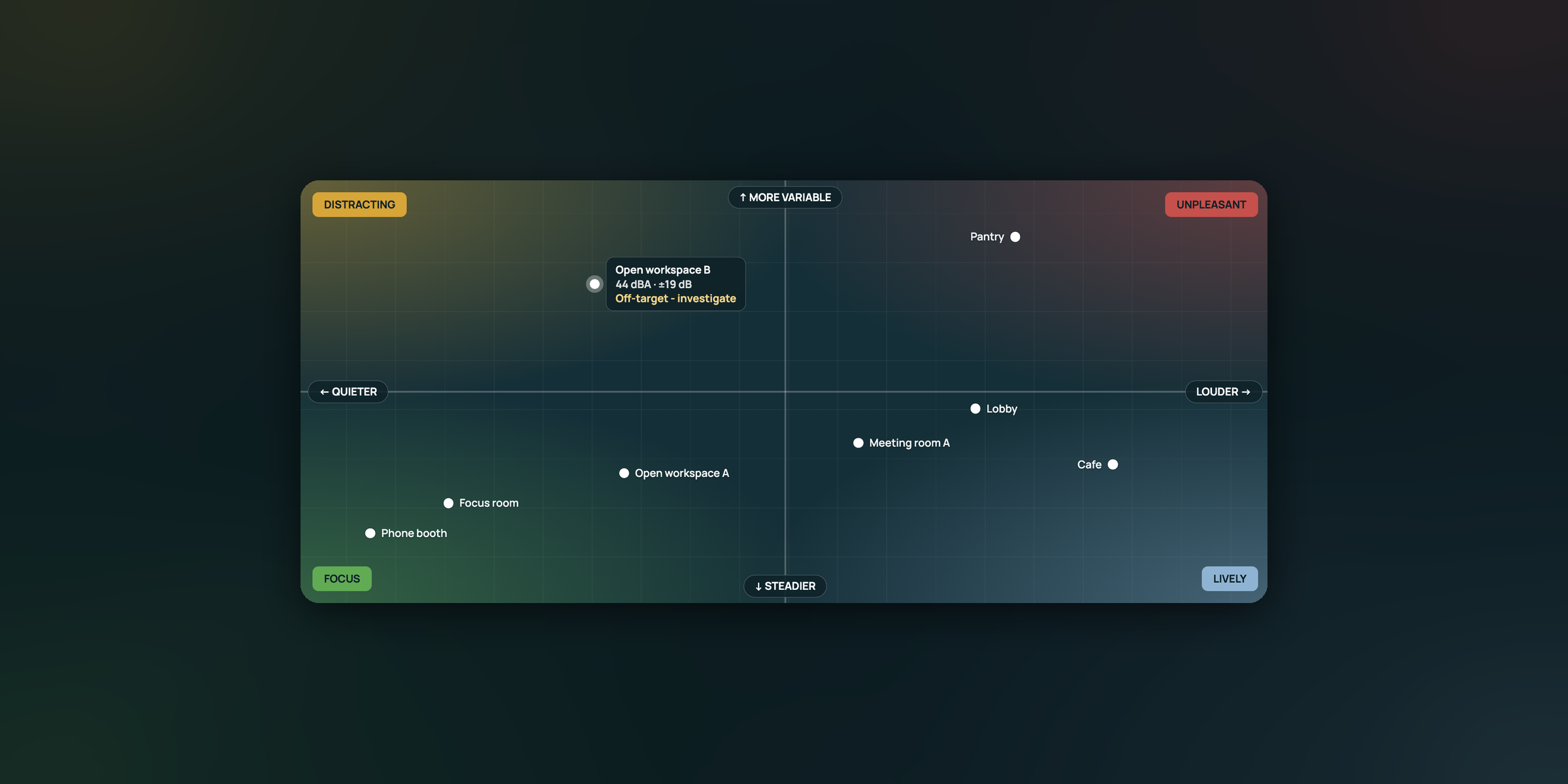
An office system should measure three parameters of sound: level, variability, and frequency. A single decibel reading covers only the first, and one number can't describe how a space actually sounds. A few examples of what a decibel-only system would miss:
- A space that swings between quiet and loud. Two open-plan neighborhoods can share the same average level while one stays steady and the other spikes every time someone takes a call. In Gensler's 2025 Global Workplace Survey, 45% of workers named a colleague's phone conversation as their top distraction, and that kind of disruption shows up in sound variability (LA10 minus LA90), not in the average.
- A low rumble. A meeting room next to a mechanical room can look acceptably quiet by its A-weighted level (LAeq) while occupants complain of a constant drone. A large gap between the C-weighted level (LCeq) and LAeq points to low-frequency sound that A-weighting discounts.
- A high-pitched whine. A failing fan or an aging projector can produce a tonal noise that barely moves the overall level but stands out to the people sitting near it. A frequency spectrum shows it as extra energy in a narrow band.
- A background that's too quiet. In a very quiet focus area, the room's background level (LA90) is so low that nearby conversations carry clearly, so the noise floor matters as much as the peaks.
What's Kaiterra's Approach?
Kaiterra's sound sensor reports six statistics every minute (LAeq, LCeq, LZeq, LAmax, LA10, and LA90) and a 31-band one-third-octave spectrum every five minutes, so level, variability, and frequency all come from a single device. Over days and weeks, those readings build an accurate picture of each space and whether or not it maintains acoustic comfort.
2. Is It Secure and Private by Design?
A secure system is designed so its microphone can't be used to listen in on conversations. Sound raises more security questions than any other IEQ parameter, and rightfully so, since the way you measure sound is with a microphone. That introduces risks that could turn a sensor into a listening device or let audio be stored or sent somewhere it shouldn't, which is especially concerning in boardrooms, meeting rooms, and other spaces where confidential conversations happen.
A sensor with a privacy-first design mitigates those risks at every level. Choose a vendor that's upfront about its sensor using a microphone and can show, in writing, how it addresses each of these:
- How often and how long the microphone listens
- Whether that listening time can be changed after installation
- Where audio is processed: on the sensor itself, or on a server or the cloud
- Whether audio is ever stored or sent
- Whether the sensor can be reprogrammed remotely
- How data is protected from the device to the cloud
Clear answers to these questions also help when employees are concerned about whether a workplace sound sensor could listen in on their private conversations.
What's Kaiterra's Approach?
Kaiterra's sound sensor protects against these risks at four levels:
- The microphone listens for just 87 milliseconds of every second, a window permanently set by components on the circuit board, not software.
- Audio is converted to readings on the sensor's own processor, then discarded immediately.
- The sensor's firmware can't be reprogrammed after it leaves the factory, and data flows one way, from the sensor out to the monitor, with no path back in.
- Encryption and device certificates protect data from the monitor to the Kaiterra platform, as detailed on our security page.
Our sensor only measures how loud a space is and the frequencies of that sound, never what's being said. No audio is ever recorded. For a full breakdown of how we measure workplace sound securely, read our sound sensor deep dive.
3. How Easy Is It to Deploy and Maintain?
The right system is built for fast installation and setup, with as little ongoing maintenance as possible, so it can scale across a portfolio without becoming a project of its own. That applies whether your building calls for wired or wireless devices.
Where it's an option, a wireless, battery-powered system tends to be the simplest route, since it doesn't need power outlets, network ports, or new cabling, and sensors can move when teams do. Check battery life carefully, though. Most battery-powered monitors last about a year, which turns battery replacement into a recurring maintenance job across a large portfolio.
A few examples of where this makes the biggest difference:
- A leased floor where you can't run new cable
- A one-floor pilot that needs to expand to other sites once it proves its value
- A neighborhood reshuffle, where sensors need to follow the teams to new spaces
What's Kaiterra's Approach?
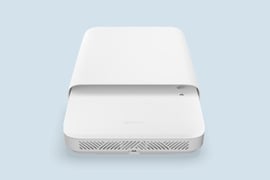
Kaiterra's sound sensor snaps inside the Sensedge Go, our wireless, battery-powered IEQ monitor, alongside other sensors for air quality, thermal comfort, and light. The monitor installs in under a minute with peel-and-stick mounting and runs for up to eight years on battery with the sound sensor included. That’s up to eight times as long as other battery-powered devices on the market. Across a large portfolio, that turns battery replacement from a yearly maintenance hassle into an occasional task.
4. Can Your Team Act on the Data?
Data is only as useful as what your team can do with it: spot patterns quickly, compare spaces, surface root causes, identify solutions, cross-reference findings, and connect the data to other building systems. For example:
- A workplace lead compares quiet zones across floors before deciding where to invest in treatment or masking.
- Facilities teams check a meeting room's frequency spectrum to trace a persistent hum to its likely source, such as HVAC equipment or a nearby server closet.
- A workplace team spots a focus zone whose variability spikes every afternoon, then lines it up with occupancy and booking data to pinpoint the cause.
What's Kaiterra's Approach?
The Kaiterra Data Platform models sound data so your team can act on it, not just read it. Every space’s sound level and variability are plotted together to show which acoustic profile it falls into and whether that suits how the space is used. The frequency view tracks every band over time, helping you trace a persistent hum or whine to its likely source. Each sound metric is also charted over time and available to download for deeper analysis. Sound data is also available through Kaiterra’s API and building system integrations such as BACnet/IP.
With Kaiterra AI and Kaiterra MCP, you can ask questions about your sound data in plain language, either in the Kaiterra Data Platform or in AI tools your team already uses, like Claude, ChatGPT, and Gemini. Both pull directly from your own device data to compare spaces, explain what changed between two periods, or turn a month of data into a shareable report.
5. Does It Measure All Four Aspects of IEQ?
If your goal is to improve the overall indoor environment, you need continuous data on each factor that shapes it: air quality, thermal comfort, light, and sound. Whether you already monitor some of these or are starting from scratch, the best solution measures all four in one place, with one platform for analysis. Until recently, most workplaces had to buy, install, maintain, and operate several different systems if they wanted to measure all four.
With a single, comprehensive solution, you get:
- Lower costs, with one set of monitors to buy, install, and maintain
- One platform for all your IEQ data, with one login and one set of analytics tools
- Cross-referenced data that surfaces insights a single parameter would miss
What's Kaiterra's Approach?
Kaiterra offers a complete 4-in-1 IEQ platform for air quality (particulate matter, CO2, VOCs, CO, NO2, and O3), thermal comfort (temperature and relative humidity), light (lux and light spectrum), and sound (level, variability, and frequency), as well as occupancy and air pressure. One set of monitors captures a 360º view of your indoor environment, with a single dashboard that shows everything side by side, from a high-level overview across buildings down to a single space. It's built to scale with your project, from a small pilot to a global portfolio.
See if Kaiterra's Sound Monitoring Solution Is Right for Your Workplace
At Kaiterra, we provide continuous sound monitoring alongside air quality, thermal comfort, and light, to help you deliver acoustic comfort across your portfolio without compromising your team's privacy. Learn more about how our sound monitoring solution works here, or book a demo with our team to see it in action.